The Southern California Augmentative and Alternative Communication Network...

...is a support group for professional development, problem solving, leadership, mentoring, and training in the use of augmentative and alternative communication (AAC) to develop communication in non-speaking and minimally verbal individuals in the Southern California Region.

Follow this blog via email at the right.
Join our email list: socalaacnetwork@gmail.com
Friend us on Facebook SoCal AAC
Follow us on Twitter @SCAACN

Saturday, November 3, 2012

K-12 AT Network Inaugural Event

What a great turn out at the K-12 AT Network's inaugural event on Tuesday, October 30! K-12 Assistive Technology Specialists came from far and wide to participate in the mornings' activities. From Long Beach to Ventura, Riverside to L.A., Monrovia to Burbank...brought together by a team effort headed by Susan Simmons, AT Specialist at the CA DOE's SoCal Diagnostic Center in Los Angeles. 
Glendale USD's AT Specialist Diana Neskovska hosted the group of 40+ for a 2-hour presentation on the Accessibility features of the iPad, presented by Apple's Dave Douglas and Dale Flemming (LA, Ventura, Santa Barbara, Kern Counties; dale@apple.com; 909-720-3233)
 
Read some of the discussion items, comments and questions that participants entered as the meeting progressed at todaysmeet.com/iat (up only until Tuesday, 11/6/12).

We'll keep you posted about the next meeting of the K-12 AT Network!

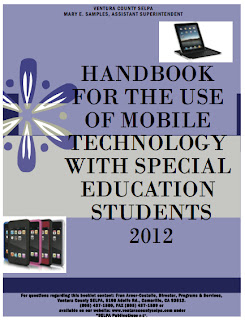
Handbook for Mobile Tech in SpEd - Ventura County

Download
What a great resource! Thank you to Sharon Redner, SLP, for sharing these 43 pages of valuable information with the Southern California AAC Network. Download a copy of the Handbook HERE.

FOREWORD EXCERPT:  The Ventura County SELPA strives to keep abreast of issues and trends impacting services to students with disabilities...provide access to augmentative communication, games, and other curricular and organizational tools... we are at risk of embracing practices or resources which are not the most effective or efficient ... we must show caution that we do not create an educational system in which technology actually separates students from access to the instructional environment, or is used for self stimulatory or calming activities only. 

CONTENTS: 
  • Guidelines for consideration and use, for purchase (including use of low incidence funds, volume purchasing, etc.), and management. 
  • Apps Core Curriculum
  • Apps for AAC
  • Apps for Speech and/or Language Therapy
  • Resources & Device Accessories

GUIDELINES EXCERPT:  In this case the district/school creates a single iTunes account to which multiple devices are synched... one account for a school or one account per classroom in a school... multiple licenses need to be purchased for each App. Educational institutions can do that through the Volume Purchase Program (VPP)...with a purchase order [Download the doc for more details here!]...Any educator can create an online quote for their purchasing department while an Authorized Purchaser can buy online on behalf of the institution (K-12 or High-Ed) or through Apple’s sale force. 


Instructional Planning Template for Apps to Support Core Curriculum

Thursday, November 1, 2012

Re-Post: Periodic Table of AAC

Thanks to Terry Kappe, SLP, for this link!

Originally posted on TLMSN, Tuesday, October 30, 2012


Get the PDF of the Periodic Table here.

Minspeak E-Newsletter, Issue 60


October 30, 2012

  • Pixon Teaching Tip: Pixons can be used as teaching materials for picturing the metaphors behind Unity® icon sequences. The word for this week is “put”. Compare the Pixon to the icon sequence . Teach the meaning of the word “put” starting in the context of putting things into a chest or box. Then extend the meaning of “put” by putting things in other containers, putting on clothes, putting dishes on the table, etc.
  • Intervention Planning: Thank you to Christina Dal Santo, Annette O’Connor, and Malia Vigil for the Intervention Plan for teaching the core verb “put”. Use it with an animated PowerPoint show they developed called Put: Containers Show or a PDF book called Put: Containers Book..
  • Teaching Materials Exchange: The Veterans Day book quizzes your knowledge of this national holiday. The book is coded with Pixons and icon sequences from Unity®45, Unity®60, Unity®84, and Unity®144.
  • Unity® Teaching App: Have parents, teachers, and therapists practice the patterns of Unity® using a new app from TapSpeak called Practicing Unity® Patterns. PUP is available through iTunes for $29.99.
  • Pittsburgh AAC Language Seminar Series: Register TODAY for an upcoming seminar series. Go to the Minspeak website to check out the 2012-2013 schedule and download the registration materials.

Monday, October 29, 2012

New! from Pati King DeBaun: MyOwnBooks2Go


Hi everyone!
Wanted to let you know I have a new website called myownbooks2go.com. Check out Stirring the Brew View Book section for FREE. I am giving away FREE TRIALS for 3 months. This website allows you to build your own books and add your own sounds. It is switch accessible and you can share to an iPad. An app with Switch Access for the iPad coming soon!!!
It also has over 100+ of my AdaptedStories books and will have all of the resources as well - including books for teens and tweens. Different than other build-a-book sites...tremendous amount of graphics...saves time when you write with kids.

Coming Soon! A section for writing with graphics support that will link to Unique Learning System curriculum...you can write about the curriculum activities with students!

For a FREE SUBSCRIPTION, send an email to pati@creativecommunicating.com and put "myownbooks" in the subject line.

Enjoy!!!  


www.myownbooks2go.com

Sunday, October 28, 2012

PrAACtical AAC: 5 Things SLPs Do That Discourage AAC Use...

Re-posted from PrAACtical AAC (great blog!). Read this article and much, much more on their site HERE.

We mean well. We really do. But sometimes the things we say or do, and even the things we DON’T say/do have a negative impact on our long-range goal of improving AAC outcomes. Here are some of the things we’ve observed that can discourage AAC use.
  1. Recommending AAC without giving stakeholders a solid, evidence-based rationale creates a shaky foundation. People aren’t going to put forth effort to implement something they don’t believe in, and they won’t believe in it until we make a compelling, well-supported argument. ‘Rules that aren’t understood are the first to be broken.’
  1. It’s easy to forget that, in some ways, the AAC user is learning a whole new language. What would it take US to learn a new language? Well, for starters, we’d want to be immersed into an environment with competent speakers of that language. Hearing the language that we’re trying to learn makes sense. For people learning AAC, that means we have to ‘speak AAC’ to them when we’re giving information, directions, telling stories, clarifying, commenting, explaining, etc. We consider aided language input to be a pivotal strategy than all interventionists should use as often as possible.
5 Things SLPs Do That Discourage AAC Use
  1. A focus on assessment rather than instruction may not be what the learner needs. Too much quizzing and the learner will give up.. “Joey, show me ___.” “Where’s the ___?” “Can you find ___?” “Point to ___.” Ugh! We’d stop communicating, too!
  1. Responding too quickly can impair both learning and independence. Our AAC friends need a lot of pause time to process the language they see/hear, then organize and execute their responses. For most, that takes at least 5-10 seconds, and some need much longer than that. When we jump in to repeat, rephrase, or prompt, we may be stepping in the path of their learning and independence
  1. Failing to understand what the communicator really wants to talk about is the surest way we know to discourage AAC use. As SLPs, we may want the learner to make choices or comment or ask a question. But if the communicator really wants to connect by telling stories, for example, then we’d try to provide some visual scene displays or other message layouts to allow them to talk about things going on in their past/present lives. If the communication aid doesn’t say what the AAC user wants to communicate, it’s likely that they’ll be slow to use it in real-life situations.
No one is perfect, and we shouldn’t expect ourselves to be flawless professionals who run our personal best race each and every time we work with an AAC client. But to be the kind of professionals we each strive to be, it helps to stop and reflect on things we’re doing to see where we can improve. Sometimes it’s the little things, like a few more seconds of pause time or asking fewer questions. Little changes, big impact.
-

AAC Best Practices Inventory

Great article to keep in your AAC-implementation-planning mind!

Calculator & Black (2009) Validation of an Inventory of Best Practices in the Provision of Augmentative and Alternative Communication Services to Students with Severe Disabilities in the General Education Classrooms. American Journal of Speech Language Pathology, Vol. 18.

Here are their best practice suggestions in 8 helpful categories:

1. PROMOTING POSITIVE VALUES
  • Foster friendships
  • Train teachers and staff
  • Allot time for IEP team meeting/planning
  • Be sensitive to cultural values and beliefs
2. COLLABORATION BETWEEN GENERAL AND SPECIAL EDUCATORS
  • Allow time for routine meetings to discuss curriculum. 
  • Clearly define role of general education staff. 
  • Develop a clear understanding of what the child is expected to learn. 
3. COLLABORATION BETWEEN EDUCATORS AND RELATED SERVICE PROVIDERS
  • SLP may play primary role in AAC program, but implementation is shared by many 
  • SLP consults with teacher and staff regarding instructional and related communication goals and objectives 
  • Consultative role of SLP is supported by administrators, teachers and parents 
4. FAMILY INVOLVEMENT
  • Ideas, concerns and priorities of family are incorporated in the AAC program. 
  • AAC instruction is coordinated between home and school 
  • Family plays important and active role in assessment process
5. CHOOSING AND PLANNING WHAT TO TEACH
  • Implementation and content of AAC program is motivating and reinforcing for student. Teachers, staff and peers understand the relationship between communication and behavior. 
  • AAC program attempts to replace problematic behaviors. 
  • AAC goals address functional communication needs in a variety of environments. 
  • Future communication needs are considered. 
  • Program targets both receptive and expressive language skills. 
6. SCHEDULING, COORDINATING AND DELIVERING INCLUSIVE SERVICES
  • Classmates/peers are taught how to communicate effectively with AAC user. 
  • AAC instruction is integrated into relevant activities throughout the day. 
  • Communication objectives are integrated into the general ed curriculum, rather than working on communication in isolation. 
7. ASSESSING AND REPORTING STUDENT PROGRESS
  • AAC progress is examined in relation to:
 IEP Goals and Objectives
, development of friends and social acquaintances
, development of functional life skills, meaningful participation in general ed curriculum
  • Communication needs are monitored and reassessed regularly since they may change over time.
8. INSTRUCTIONAL STRATEGIES
  • Service providers and teacher work collaboratively to address multiple skills concurrently. 
  • Peers, teacher and staff receive direct instruction on how to use AAC effectively. 
  • AAC user learns to communicate through multiple means, utilizing a combination of no-tech, low-tech and high-tech strategies. 
  • IEP team understands that AAC needs will change over time, as well as available technology. 
  • Teachers and staff make appropriate modifications to increase communication opportunities. 
  • Classmates/peers provide modeling of AAC systems. 
  • There is little evidence of rejection/abandonment of AAC system by user.